Co-Branding Guidelines
The Agile20Reflect Festival brand integrity is essential to indicating a trusted organisation for delivering fair, impartial and positive experiences with all volunteers (delivery teams, ambassadors, trustees), participating event hosting groups and participating global companies.
We hope that our brand can strategically help our supporter grow as they use it in their communication channels.
What is co-branding?
Using two brands together symbolizes partnership and a commitment to provide the market with a new or enhanced product or service. Each brand constitutes a set of promises that people associate with the respective company. Care must be taken to ensure that we are not misrepresenting the product or service of either brand, which would cause confusion in the market or, more importantly, with the end customer. For that reason, we must clearly and appropriately communicate in a manner that is:
- Efficient – leveraging our mutual resources productively and accurately
- Consistent – developing visual cues that communicate our relationship to other brands
- Effective – using clear and understandable language from a customer perspective
These guidelines will help to streamline the development of co-branded materials while protecting the valuable brand assets for all involved.
When to Co-brand
Creative assets appropriate for co-branding include:
- Supporting Organisations (reciprocal links https://agile20reflect.org/ and https://agile20reflect.org/festival/month/2021-02/)
- Events in Calendar (reciprocal links https://agile20reflect.org/ and https://agile20reflect.org/festival/month/2021-02/)
- Local Conferences (reciprocal links https://agile20reflect.org/ and https://agile20reflect.org/festival/month/2021-02/)
- Flyers (link https://agile20reflect.org/)
- Event Signage (link https://agile20reflect.org/)
- Presentations (PowerPoint, Keynote etc) (link https://agile20reflect.org/)
- Advertising and Digital (link https://agile20reflect.org/)
- Email Footers (link https://agile20reflect.org/)
Creative assets that contain Agile20Reflect Festival intellectual property (logo’s etc) may not always be suitable for co-branding.
Materials that contain Agile20Reflect Festival intellectual property should be reviewed by the Trustees on an individual basis to make sure they are appropriate for co-branding. These materials include:
- Commercial Services
- Paid Events (these will not appear in the Festival Calendar)
- Paid Products
These illustrate some common asset examples for reference; this is not a comprehensive list.
Social Media Hashtag Usage
| Primary hashtag | Secondary hashtags |
| #Agile20Reflect | #Agile20ReflectFestival #Agile20ReflectEvent #Agile20ReflectSpeaker #MyAgileHero |
Examples
Digital Marketing Communications, Blogs, Press Releases
| Our Communication Channels #Agile20Reflect #Agile20ReflectEvent #[speakername] #[company] | Supporter Communication Channels #[speakername] #[company] #Agile20Reflect #Agile20ReflectEvent |
During Organiser or Supporters Events
| Organiser Communication Channels #[speakername] #[event hashtag] #Agile20Reflect | Organiser Communication Channels #[event hashtag] #Agile20Reflect |
During Events
#myAgile20Reflect or #Agile20Reflectorigins #Agile20Reflectnow #Agile20Reflectfuture
Post Events and Festival
| #Agile20ReflectArchive | Others to be defined post 7th March event |
Brand Dominance
Brand dominance means that one supporter should have a clear visual lead in design executions, typically using their identity/brand system in a dominant manner.
Expressing brand dominance is simple and can be achieved by:
- Placing the dominant brand in the most visible and valuable space(e.g., above the fold on a website, or at lower right on a billboard)
- When supporter logos are shown in close proximity to each other in a brand-neutral environment, the dominant brand will be placed on the left (visually first)
Agile20Reflect Festival Dominant Co-Branding
Agile20Reflect Festival dominant communications means that our brand drives the customer experience and designs will heavily rely on the Agile20Reflect Festival visual system for look and feel.
Supporter Dominant Co-Branding
When a supporter company drives the communication experience, their brand will be featured more and designs will rely on their visual system. At the same time, it’s still critical to protect and appropriately display the Agile20Reflect Festival logo.
Logo Usage
| Primary Logo Usage | Secondary Logo Usage |
 |
 |
| Logo should be used only on a white background | Logo should be used only on a black background |
| Where horizontal usage is not possible (only by agreement with Trustees) | |
 |
 |
| Logo should be used only on a white background | Logo should be used only on a black background |
Logo Lock-up
Many co-branding instances will require placing the Agile20Reflect Festival logo side-by-side with another company’s logo in a “lockup” format.
Each logo should be sized to be optically equal. The left position of the lockup indicates brand dominance in brand-neutral environments.

Each logo should be sized to be optically equal. The left position of the lockup indicates brand dominance in brand-neutral environments.
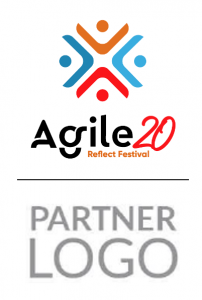
When placed horizontally, a supporter logo must match the height Agile20Reflect Festival logo. When placed vertically, supporter logo must match the width of the Agile20Reflect Festival logo.
Accessibility
The Agile20Reflect Festival is committed to inclusion and have provided these guidelines to aid visual engagement through maximum colour contrast.
Visual Assets
These assets are provided solely for the use of organisations and events that are involved in the Agile20Reflect Festival meeting the Principles of the Festival and our Community Policy. We reserve the right to request that they be removed where where our Policies are not met.
RGB refers to the primary colors of light, Red, Green and Blue, that are used in monitors, television screens, digital cameras and scanners. CMYK refers to the primary colors of pigment: Cyan, Magenta, Yellow, and Black.
RGB Illustrator file RGB Logos
CMYK Illustrator file CMYK Logos
RGB Pdf file AGILE20_VECTOR_LOGOS_RGB
CMYK Pdf file AGILE20_VECTOR_LOGOS_CMYK
How to use these documents;
- The illustrator files contain nine sets of images to allow a professional use.
- They are manipulated in The Adobe Creative Suite Application, Adobe Illustrator.
- Pdf files are also supplied to support users who don’t have access to graphic design tools, first open Pdf to image you want to use;
- Windows: To open the Snipping Tool, press the Start key, type snipping tool, and then press Enter. (There’s no keyboard shortcut to open Snipping Tool.) To choose the type of snip you want, press Alt + M keys and then use the arrow keys to choose Free-form, Rectangular, Window, or Full-screen Snip, and then press Enter.
- Mac OS: Does not include a native snipping tool like Windows Snipping Tool. To take a screenshot on Mac, press Shift + Command + 3. If you want to capture a part of a document, you can press Shift + Command + 4, you will see a crosshair, select the top corner of the area you want to get, press the left side of the mouse and drag the grey square around the image, when happy with shape let go. A copy of the grey area will be saved.
